Share preview (SEO)
Choose the title, text, color and image that show up when your link is shared.
Updated October 22, 20261 min read
When you paste your link on Discord, X, WhatsApp or anywhere else, a preview card shows up. In Customize → SEO, you choose what it shows.
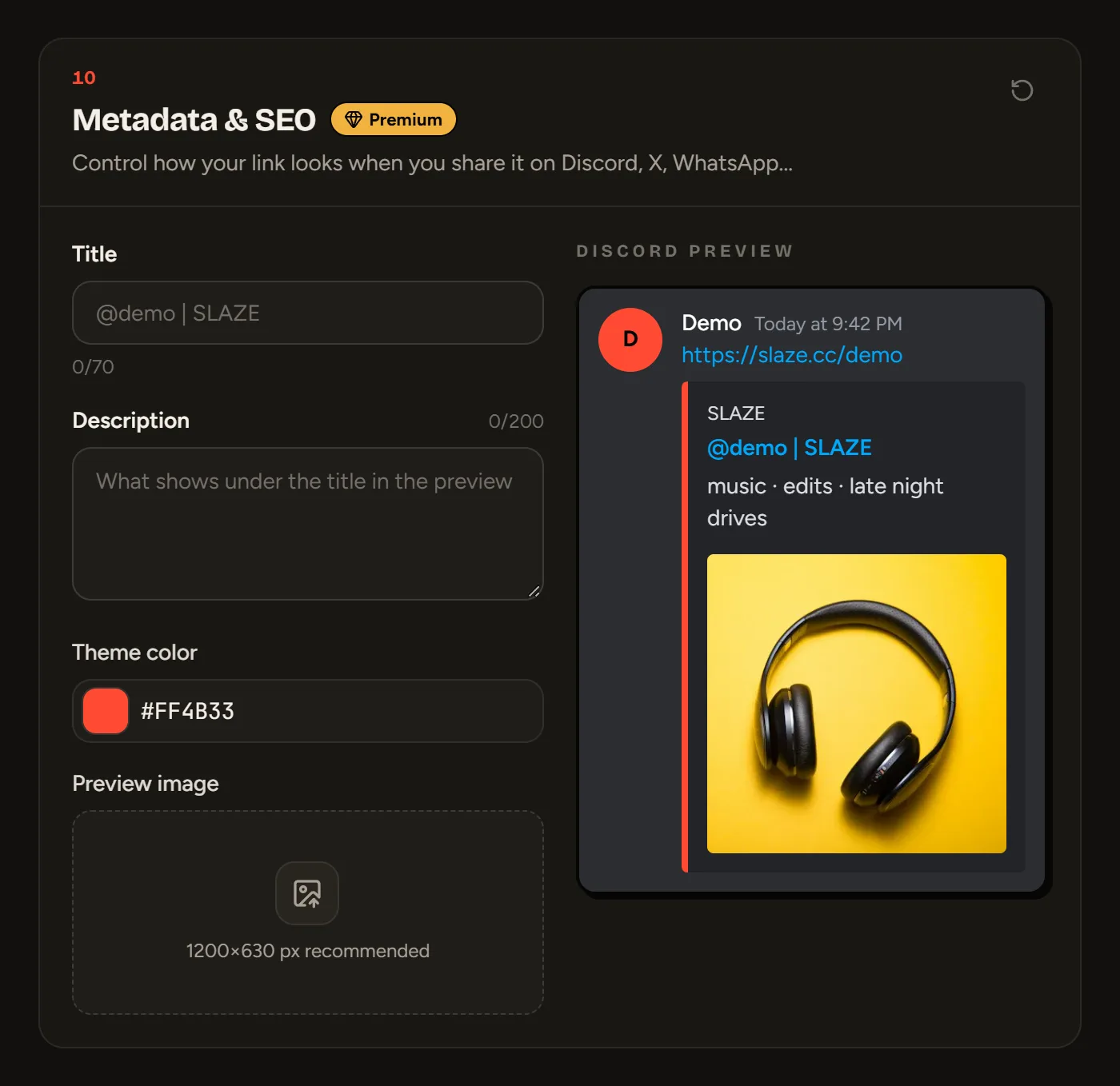
- Title: up to 70 characters (by default “@yourname | SLAZE”).
- Description: up to 200 characters.
- Theme color: the color bar of the preview on Discord.
- Preview image: 1200 × 630 pixels recommended.
The Discord preview next to it shows you the result. Empty fields fall back to your description and your avatar.
Still stuck?
Email us and describe the problem: we’ll reply by email, in English or French.